


CAN to USB Analyzer with GUI & API support
CAN to USB Analyzer with GUI & API support
CAN Bus Data in Seconds | Plug & Play | CAN 2.0A & CAN 2.0B
50 in stock
Couldn't load pickup availability
- Global Shipping
- Product Support
- CAN 2.0A & 2.0B
Share


Collapsible content
Product Description
The CAN Bus Analyzer offers a quick and easy way to connect to CAN networks and devices. Its compact, durable design makes it ideal for both indoor and outdoor applications. An isolated version provides up to 1000V galvanic isolation, protecting your devices from electrical interference.
The intuitive GUI helps the user to configure, monitor and generate messages from the CAN to USB Analyzer. The GUI is supported on Windows 7 and above.
Product Features
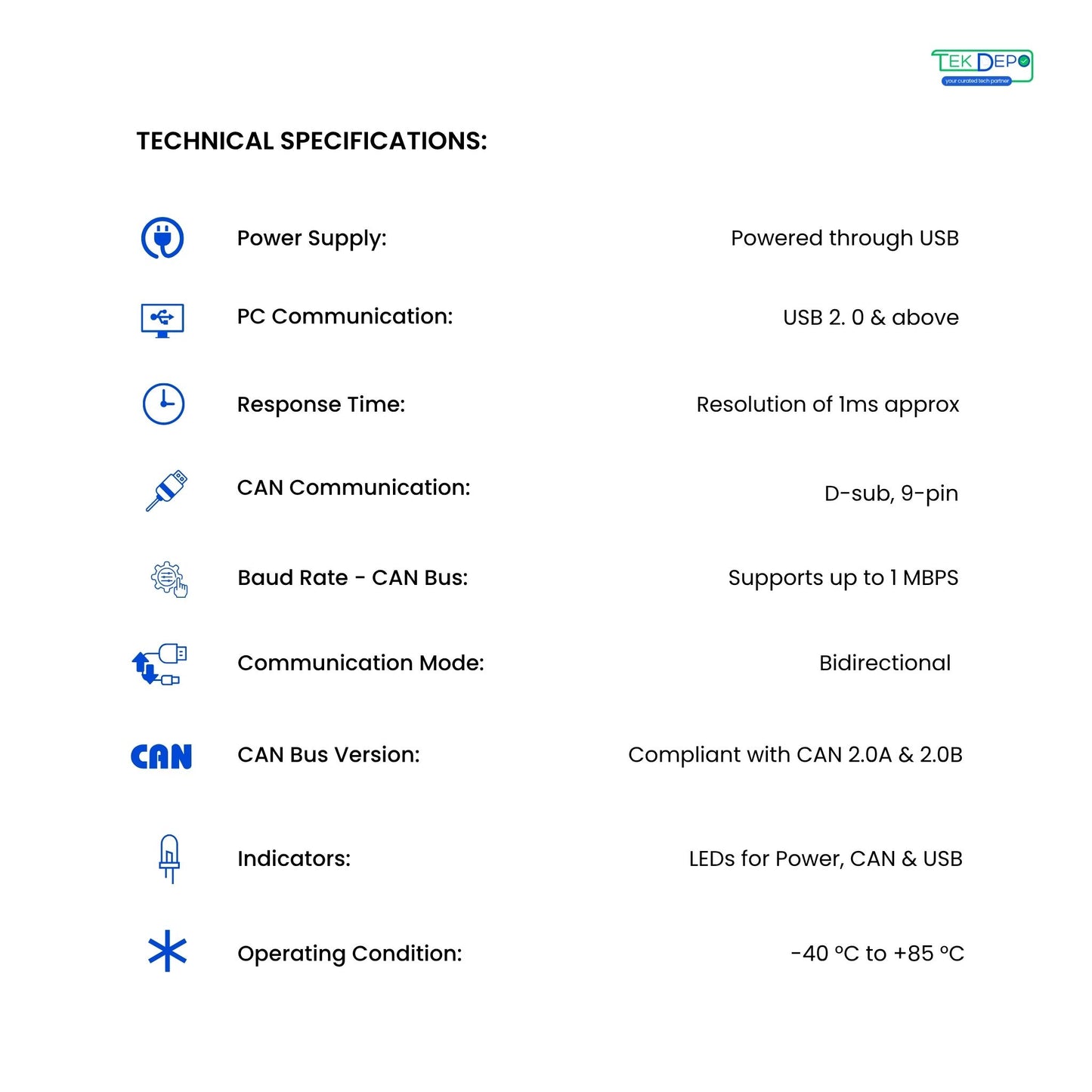
Technical Specifications:
- Power Supply: 10 to 30V DC
- PC Communication: Compatible with USB 2.0 and Above
- CAN Communication: CAN bus connection via Terminal Connector, 8-pin
- Baud Rate - CAN Bus: Supports up to 1 MBPS
- Operating Condition: Operating temperature range from -40 to 85 °C
- Communication Mode: Bidirectional
- CAN Bus version Support: Compliant with CAN Specifications 2.0A and 2.0B
- Response Time: Time stamp resolution of 1ms approx.
Key Features :
- Easy and Quick connection to CAN networks and CAN Devices.
- Small size and Compact plastic casing.
- Free CAN application software for Windows® with an attractive and user friendly GUI.
- API SDK Support for Custom GUI/Application Development.
Typical Applications:
- CAN Network Analysis & Troubleshooting.
- Battery Management System.
- Vehicle Network Analysis & Troubleshooting.
- CAN 2.0A and CAN 2.0B Machines Monitoring.
Shipping & Delivery
- Orders are usually processed within 1–2 business days.
- Standard delivery time is 5–7 business days, depending on your location.
- Tracking details will be shared once your order is shipped.
- For detailed shipping terms, please refer to our Shipping Policy.
Frequently Asked Questions
What is the CAN to USB Analyzer?
It supports both CAN 2.0A and CAN 2.0B standards, providing compatibility with most industrial and automotive communication networks.
What CAN protocols does it support?
It supports both CAN 2.0A and CAN 2.0B standards, providing compatibility with most industrial and automotive communication networks.
Who should use the CAN to USB Analyzer?
This device is perfect for automotive engineers, embedded developers, system integrators, and graduates learning CAN Bus communication and programming.
What are the key features of the CAN to USB Analyzer?
Features include bidirectional CAN communication, real-time monitoring, GUI-based interface (SW Suite), error frame detection, and message filtering capabilities.
The device comes with GUI software that allows users to visualize, log, and analyze CAN bus messages efficiently.
What applications can this tool be used for?
It is widely used in automotive development, CAN bus diagnostics, network simulation, and academic research involving embedded systems.